Have you ever typed out a message on FM WhatsApp, hit send, and stared at a single gray checkmark for hours, all for just one specific contact? If you’re dealing with whatsapp messages not delivering to only one person, you’re not alone. This frustrating issue is far more common than you might think, and it’s usually not a sign of a banned account or broken app.
Whether you’re seeing a “failed to send” error, a single checkmark that never turns into two, or you’ve confirmed the recipient has whatsapp message not received on their end, this guide will walk you through every possible fix — tailored specifically for FM WhatsApp users. We’ll cover basic quick checks, FM-exclusive settings tweaks, recipient-side issues, and advanced fixes to get your messages delivering again in minutes.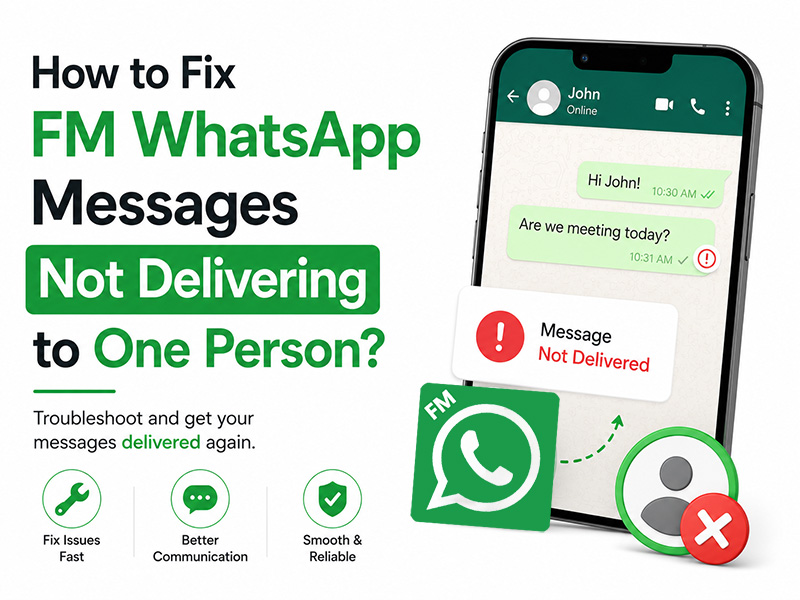
Identify What Type of Delivery Issue You‘re Facing
Before troubleshooting, it helps to narrow down the exact problem, as different symptoms point to different causes:
- WhatsApp message not sent: No gray checkmarks at all, often paired with a red exclamation mark or “failed to send” This means the message never left your device or reached WhatsApp’s servers.
- Message in whatsapp not delivered: One solid gray checkmark, but no second checkmark. This means the message was successfully sent to WhatsApp’s servers, but has not been delivered to the recipient’s device yet.
- Recipient reports whatsapp message not received: You see two checkmarks on your end, but the recipient insists they never got the message. This is rarer, and usually stems from a display glitch or sync bug on their device.
Quick 5-Minute Preliminary Checks
Start with these simple, fast fixes. They resolve most single-contact delivery issues without any deep settings changes.
1. Test your internet connection
A weak or unstable connection is the #1 cause of whatsapp message not sent errors. Try switching between Wi-Fi and mobile data, or load a website in your browser to confirm your connection is working. If your internet is spotty, messages will get stuck until your connection stabilizes.
2. Verify the recipient‘s phone number
Double-check that you have the correct phone number saved, especially for international contacts. A missing country code, extra digit, or typo will cause messages to fail silently, leaving you with a permanent message in whatsapp not delivered status. If you recently added the contact, cross-confirm the number via another channel.
3. Try sending a simple text message first
If you’re trying to send a large video, high-res photo, or document, file size limits or compression issues could be blocking delivery. Send a short plain text test message first. If the text goes through, the issue is with your media file — compress it or try a smaller version.
4. Confirm your account isn‘t restricted
If whatsapp messages not delivering is happening for all your contacts, your FM WhatsApp account may be flagged or at risk of a ban. For a full breakdown of how to diagnose and fix account restrictions, check our guide on How to Prevent FM WhatsApp from Being Banned.
FM WhatsApp-Specific Fixes
If the basic checks didn’t work, the issue may be tied to FM WhatsApp’s custom features or settings. These fixes are unique to FM WhatsApp and won’t apply to the official app.
1. Check if you accidentally blacklisted the contact
FM WhatsApp includes a more robust built-in blacklist feature than the official WhatsApp. If you accidentally added the contact to this list, all your messages will fail to reach them, resulting in permanent whatsapp message not received on their end and a single checkmark on yours.
- How to check: Open FM WhatsApp > Tap the three-dot menu > FM Settings > Privacy > Blacklist.
- If the contact is listed, select them and tap Remove from Blacklist. Restart the app and try sending a message again.
2. Temporarily disable experimental privacy features
Advanced FM WhatsApp tools like Hide Online Status, Anti-Revoke, or Hide Delivery Receipts can occasionally cause compatibility conflicts with official WhatsApp users. These glitches can trigger whatsapp messages not delivering for specific contacts.
- Toggle off all non-essential privacy features temporarily, then send a test message.
- If the message goes through, the issue was caused by a feature compatibility bug. Updating to the latest FM WhatsApp version will usually fix this permanently.
3. Clear FM WhatsApp app cache
Corrupted cache files can cause all kinds of random, one-off glitches including message in whatsapp not delivered errors for a single contact. Clearing the cache is safe and will not delete your chats, media, or account data.
- Steps: Open your device Settings > Apps > FM WhatsApp > Storage > Tap Clear Cache.
- Close and restart FM WhatsApp, then try sending the message again.
If clearing cache still makes the app freeze, lag or stop loading entirely, check our dedicated guide How to solve FM WhatsApp not responding for complete solutions to unresponsive crashes and stuck app screens.
4. Update to the FM WhatsApp latest version
Outdated FM WhatsApp builds are prone to delivery bugs, server compatibility issues, and security gaps. Developers release regular updates to fix these exact problems, plus updated anti-ban protections to keep your account secure.
Download the latest stable FM WhatsApp APK from a trusted source, then install it over your existing app.
5. Re-sync your contacts list
A corrupted contact sync can cause messaging failures for specific numbers. Refreshing your contacts will force FM WhatsApp to re-pull all contact data from your device, fixing sync-related glitches.
Steps: Open FM WhatsApp > Settings > Contacts > Tap Refresh Contacts. You can also toggle Show All Contacts off and back on to force a full re-sync.
Recipient-Side Issues
If you’ve tried all the fixes above and messages still won’t deliver to this one contact, the problem is almost certainly on their end. These are the most common causes:
1. The recipient has blocked your number
This is the most common reason for permanent message in whatsapp not delivered status for one person. If the recipient blocked you, all your messages will stay stuck on a single gray checkmark, and they will never see them.
2. Their device has no stable internet connection
If the recipient’s phone is turned off, has no cell service, or is connected to a broken Wi-Fi network, messages will sit on WhatsApp’s servers until their device comes back online. You’ll see whatsapp messages not delivering on your end until they reconnect.
3. Their messaging app is killed in the background
If the recipient also uses FM WhatsApp, aggressive battery optimization settings may be killing the app in the background. This prevents messages from being delivered to their device, resulting in whatsapp message not received on their end and a single checkmark on yours.
4. Their WhatsApp account is banned or deactivated
If the recipient’s account was banned by WhatsApp or they deactivated it, messages will never deliver. If you haven’t seen them online or update their status in a long time, this may be the case.
5. They switched to a new phone number
If the recipient changed their number and you’re still messaging the old one, messages will never deliver. Old, deactivated numbers will always show a message in whatsapp not delivered status. Reach out to them via another channel to confirm if they’ve changed numbers.
Advanced Fixes for Persistent Issues
If you’ve tried everything above and messages still won’t deliver to this one contact, these deeper fixes will resolve almost all remaining issues:
1. Delete and re-add the contact
Permanently delete the contact from your phone’s address book, then re-add them with the correct full number. Refresh your FM WhatsApp contacts list afterward. This fixes almost all contact data corruption issues.
2. Restore from a recent FM WhatsApp backup
If your FM WhatsApp chat database is corrupted, it can cause random delivery failures for specific contacts. Restoring from a recent local backup will repair damaged database files.
Note: Only do this if you have a recent backup, as restoring will overwrite all new messages sent since the backup was made.
3. Reinstall FM WhatsApp
As a last resort, back up all your chats and media, uninstall FM WhatsApp, then do a fresh install of the latest version. This wipes all corrupted files, misconfigured settings, and buggy data that could be causing the issue. Restore your backup after installation and test sending a message again.
Final Tips to Avoid Future Delivery Issues
- Always keep FM WhatsApp updated to the latest version. Updates fix bugs, improve server compatibility, and add critical anti-ban protections.
- Avoid overusing experimental privacy features if you mostly message official WhatsApp users. Stick to stable, well-tested tools for daily use.
- Clear your app cache once every 1–2 months to prevent corrupted files from causing random glitches.
- Double-check all international phone numbers before messaging to avoid avoidable delivery failures.
Final Thoughts
WhatsApp messages not delivering to one single person is almost never a serious problem. In most cases, it’s caused by a simple network glitch, typo in the number, or minor settings issue on either your or the recipient’s end. By working through this guide step by step, you’ll be able to identify and fix the issue in minutes.
For FM WhatsApp users, the most reliable long-term fix is always to stay on the latest official build. Updated versions not only fix delivery bugs but also keep your account safe from bans and ensure compatibility with official WhatsApp users.