FM WhatsApp is known for its more powerful controls than the standard WhatsApp, offering users greater flexibility in how they communicate and share content. Many users are especially interested in the status-sharing feature, which allows them to post updates visible to their contacts. However, by default, status updates come with time limits, particularly for video length, which can be inconvenient. It can be frustrating if you want to share a long video clip without cutting it into multiple parts, so users often look for solutions or improvements available in the fm whatsapp latest version to enhance this experience and make sharing smoother.
In this guide, we’ll explore how to increase the duration of status updates in FM WhatsApp, what settings you need to check, and some simple tips to make your status posts smoother.
Understanding Status Limits
Understanding how these limitations work before attempting to increase the length of status videos is helpful. In most instant messaging apps, including WhatsApp, status videos are limited to about 30 seconds in length. This rule aims to speed up uploads and ensure that status videos load smoothly.
FM WhatsApp has made some adjustments to this, but it doesn’t always completely remove the time limit. In many cases, the application allows longer videos to be uploaded by adjusting the file size limit rather than directly changing the duration limit, which means the final upload length often depends on both the video duration and its file size. At the same time, features like fmwhatsapp anti-ban are designed to improve account safety while using these extended functions, helping users enjoy more flexibility without increasing the risk of restrictions.
For example, a very high-quality short video may still be too large to upload in its entirety, while a lower-quality long video may be uploaded without any editing. Therefore, even if two videos are the same length, different results may occur when trying to publish them.
Another factor to consider is version differences. FM WhatsApp updates frequently, and the way status video uploads are handled may vary slightly in each version. Some versions allow longer videos to be uploaded by default, while others still have a duration limit unless certain settings are enabled.
Your phone’s performance and network connection can also affect the upload process. If the file is too large or the network connection is unstable, the application may be unable to upload the complete video, or it may automatically shorten the video length.
Understanding these details will help you better manage your expectations and choose the appropriate approach when attempting to publish longer status updates.
Check FM WhatsApp Settings
The first step is to explore the built-in settings. FM WhatsApp usually includes some additional options not available in the original app.
Here’s what you can do:
Open FM WhatsApp
Go to Settings
Look for sections like “Privacy” or “Media Sharing”
Check if there is an option related to status length or media limits
Some versions allow you to send larger files or longer videos, which directly affects how long your status can be.
Upload Longer Videos Without Cutting
If your FM WhatsApp version supports uploading longer status videos, you can try posting the full video directly without splitting it. This saves time and ensures smooth playback from beginning to end.
Select a video from your gallery and upload it directly to the “Status” tab. In some cases, FM WhatsApp may not enforce the usual 30-second time limit. If the full video is accepted, you can publish it all at once without any editing.
If the app still asks you to crop the video, please check the following: First, try using a video with a smaller file size. Even if the video is short, large files are more likely to be restricted. You can reduce the file size by slightly lowering the resolution or compressing the video.
Another useful step is to change the video format. Some formats are more compatible with applications and can allow for longer playback times. For example, converting videos to common formats such as MP4 can improve compatibility.
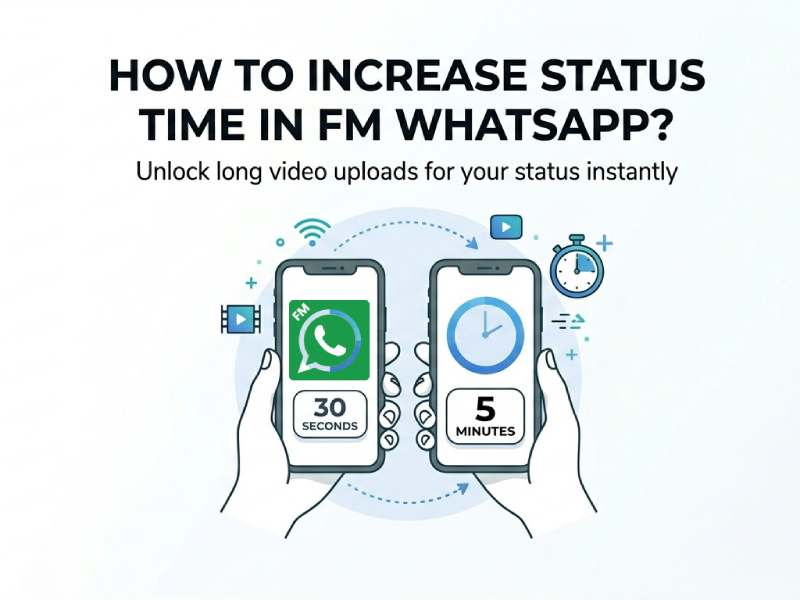
If you’re looking into how to increase status time in FM WhatsApp, it’s worth exploring the app’s media-related settings to get better results. You can try enabling options that allow larger file uploads or improved media processing, as these features sometimes influence how videos are handled before being posted as a status. Adjusting resolution, compression, or file size limits may help extend the playable duration or maintain better quality, depending on how the app processes your content.
Use Built-in Features
FM WhatsApp has a number of built-in features that can help you share longer status videos more easily. These features are usually located in the app settings and can be enabled with just a few taps.
For example, some versions allow you to increase the media file size limit. This means you can upload larger videos without the app forcing you to edit them. When this option is enabled, longer video clips are more likely to be accepted as a single file.
Another useful feature is high-quality video sharing. When enabled, the app will try to maintain the original video quality. In some cases, this can also help avoid over-compression, thus preventing issues with video processing and uploading.
FM WhatsApp may also include options to bypass certain default limits. These settings can improve how media files are handled, especially in terms of status updates. You can usually find them under sections like “FM Mods” or “Media Settings.”
Take your time browsing these sections and testing the different options. Enable one feature at a time, then try uploading a video to see which works best. This way, you can find the appropriate settings without affecting other parts of the application.
By using these built-in features properly, you can reduce the need to cut videos and make your status updates look more natural and complete.
Simple Workarounds
If you still face length limitations, here are some simple ways to manage longer content.
Split the Video Smartly
Instead of editing arbitrarily, divide the video into several clear segments. This will make the storytelling flow more smoothly as viewers watch your status updates in sequence.
Compress the Video
Large files may be subject to restrictions. You can use a video compression application to reduce the file size. Smaller files can extend playback time.
Use Screen Recording
In some cases, re-recording a video via screen recording can change its format and size. This may help circumvent certain restrictions.
Keep Quality Balanced
Longer videos are better, but quality is also important. If the video file is too large, it may not be able to upload normally or the clarity may be reduced. Try to:
Use clear but not overly large resolution
Avoid very long clips unless needed
Test short uploads before posting full videos
This helps keep your status smooth and easy to watch.
Common Issues and How to Fix Them
Even after adjusting the settings, some users may still encounter problems uploading longer status videos in FM WhatsApp. Once the cause is identified, these issues are usually simple to fix with the right approach. In many cases, it helps to double-check file size, format compatibility, and app permissions, as these factors often affect the upload process more than expected. Understanding how the whatsapp status time limit setting works can also prevent confusion, allowing users to better manage their video length and ensure smoother sharing without repeated errors.
A common problem is that videos are still being cropped to a shorter length. This may be due to the application settings not being saved correctly, or the current version not supporting this feature. In this case, try restarting the application or check if an updated version is available.
Another problem is upload failure. If your video cannot be uploaded at all, it may be because the file is too large. Try reducing the resolution or compressing the video to decrease the file size. A stable network connection also helps avoid upload errors.
Sometimes audio and video may become out of sync. This is usually caused by incomplete file format compatibility. Converting the video to a common format can solve this problem.
By understanding these minor issues and resolving them step by step, you can make the process of publishing longer status videos smoother and more reliable.