FM WhatsApp is popular with users because it offers more messaging control options than the standard app. Many users wish they could send messages without saving the other person’s number to their phone’s contacts; this makes communication faster, simpler, and more flexible, especially when it’s just a one-time or brief exchange, and the feature of whatsapp without saving number has become especially appealing for people who prefer not to clutter their address book while still staying easily connected.
In the previous article, we shared ways to set up automatic replies for your business chats. This article will introduce several methods to achieve this function and explain the operation process of each method with simple and easy-to-understand steps.
Why People Avoid Saving Contacts
Before learning the specific steps, it’s helpful to understand why many users are reluctant to save the numbers of all their chat contacts. This habit is becoming increasingly common as instant messaging apps are used for both personal social interaction and quick, one-off communication.
One of the main reasons is the pursuit of simplicity. If you only need to communicate once, such as asking questions, confirming an order, or verifying details—saving the number is unnecessary. For communication that can be accomplished with just a few words, saving a number adds an unnecessary step.
Privacy concerns also play a role. Some users don’t want their contacts filled with numbers they don’t intend to keep long-term; keeping their contacts streamlined gives them a greater sense of control over the content stored on their devices.
This is especially common in work or online sales scenarios. Many conversations are with strangers or casual clients, and these exchanges often last only a few minutes or days, so saving the number has no practical value.
Finally, some users simply seek a cleaner mobile phone user experience. For example, in scenarios like WhatsApp without phone number, the fewer contacts you save, the cleaner the interface, the easier it is to find information, and the more organized the overall communication environment will be.
Method 1: Using the Direct Chat Feature
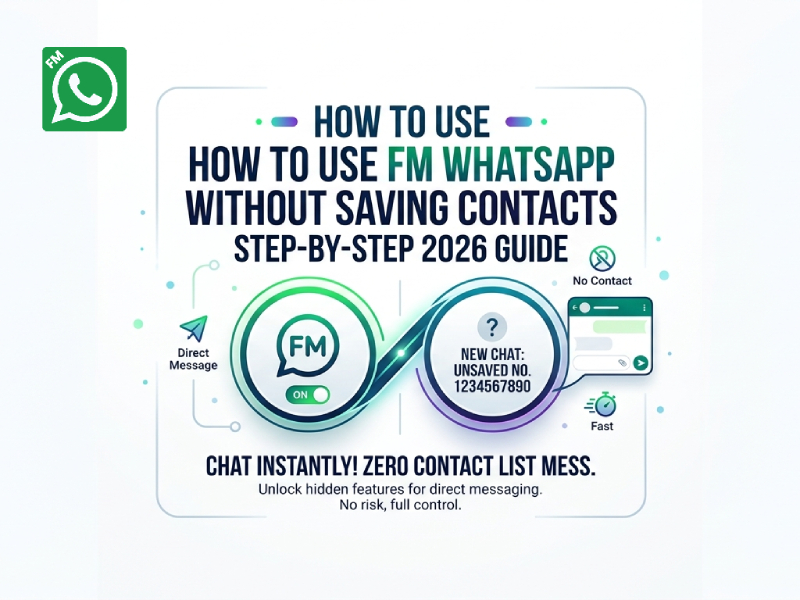
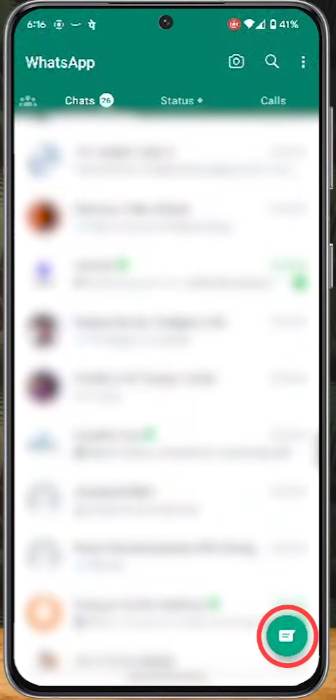
One of the simplest ways is to use the direct chat option inside FM WhatsApp.
Here is how it works:
- Open FM WhatsApp on your phone
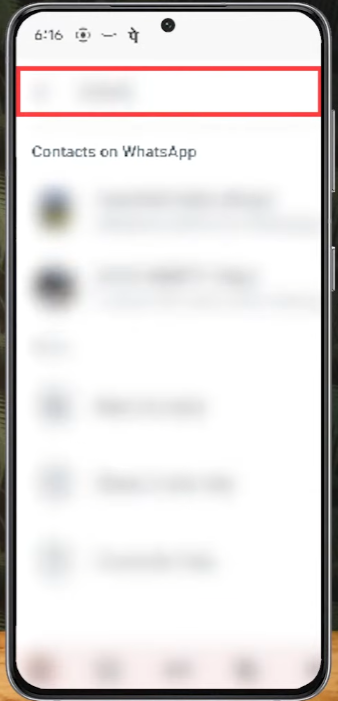
- Tap the search or chat icon
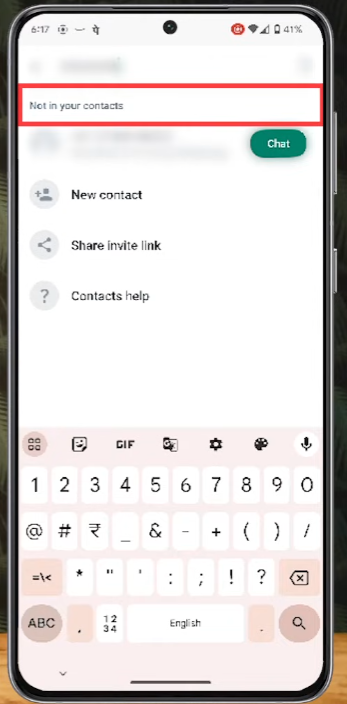
- Enter the full phone number with country code
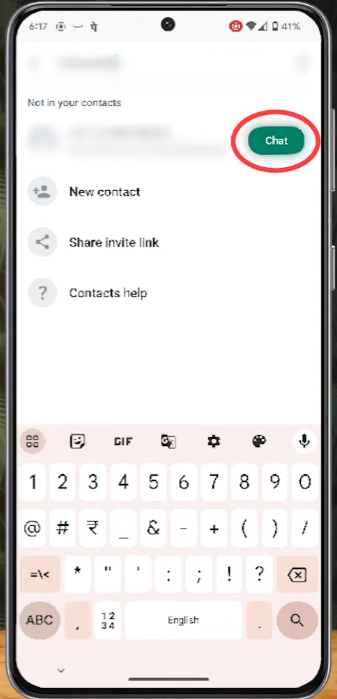
- Start the chat when the number appears
This method lets you begin a conversation instantly without adding the number to your contacts list.
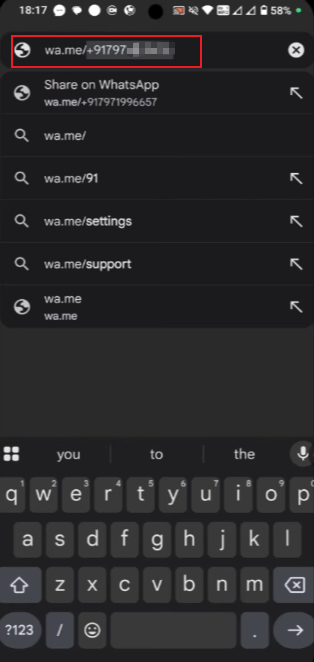
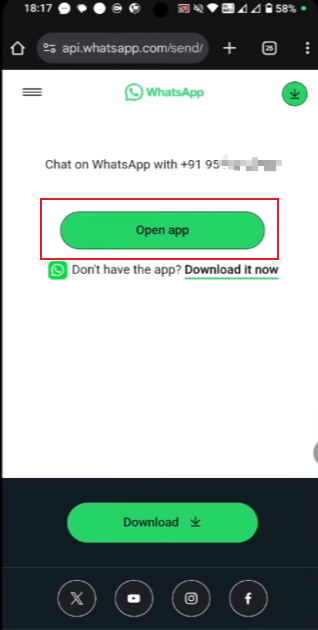
Method 2: Using Click-to-Chat Links
Another common way is by using a direct chat link format.
The structure is simple:
https://wa.me/phonenumber
Steps:
- Open your browser or any note app
- Paste or type the link with the number
- Open it
- Choose FM WhatsApp when prompted
This will take you directly to a chat window with that number.
Method 3: Using FM WhatsApp Dial Shortcut
Some versions of FM WhatsApp include a dial-style shortcut inside the app.
To use it:
- Open FM WhatsApp
- Go to the chat screen
- Look for the “new chat” or dial option
- Enter the number manually
- Start messaging immediately
This method feels similar to making a phone call, but it opens a chat instead.
Method 4: Group or Forward Interaction Method
Sometimes you may also get a number from a group or forwarded message.
If the number is visible:
- Tap on the number inside the chat
- Select the message option
- Start chatting directly
This is useful when you see numbers shared in group discussions or forwarded messages.
When This Feature Is Most Useful
Sending messages without having to save contacts is more than just a small convenience. In many practical scenarios, it helps maintain efficient and organized communication. Here are some common situations where this feature is particularly useful:
1. One-time communication
Sometimes you only need to communicate with the other party once, such as to confirm an order, inquire about details, or check if the item is in stock. In this situation, there’s no need to save the number; chatting directly will be much faster.
2. Buying and selling situations
When dealing with online sellers, secondhand buyers, or small service providers, communication is often brief and to the point. The two parties may only exchange a few messages and then stop contacting each other, so not saving contact information helps keep the address book tidy.
3. Delivery and service coordination
Delivery riders, couriers, or repairmen will usually only contact you within a very short period of time. Once the work is completed, there is usually no need to keep their numbers.
4. Group-related interactions
In group chats, you may encounter people with whom you need to have a brief conversation. Instead of saving each participant as a contact, it’s better to initiate a private chat when needed, thus avoiding a cluttered address book.
5. Event or temporary arrangements
For matters such as meetings, business trips, or short-term collaborations, communication often lasts only a few days. Once the transaction is completed, there is no need to retain these contact details for an extended period.
6. Testing or quick verification
Sometimes you might want to quickly check if a number is active or to confirm if someone is reachable. You can do these things without making permanent changes to your contact list by sending messages directly.
7. Maintaining a clean contact list
Even without considering specific circumstances, many users tend to keep their contact lists minimal. Using direct chat helps maintain a clear, organized contact list without redundant entries.
Small Tips for Better Use
To use FM WhatsApp smoothly without saving contacts, developing a few simple habits can help you stay organized and avoid confusion when chatting with new numbers, especially when handling a WhatsApp number without saving contacts.
Always check the number carefully before starting a chat
Even a single digit error could lead to the message being sent to the wrong person. It’s a good practice to make it a habit to carefully check the complete number, especially when copying a number from a text message or website.
Use country codes correctly
Many users forget to add the correct country code, which may cause the chat window to be unable to open. Please ensure that the number contains the correct prefix so that the system can recognize it.
Keep a quick note for repeated contacts
If you plan to send a message to the same number again later, it’s best to save it temporarily in a note-taking app. This avoids re-entering information and reduces the chance of errors.
Separate important and temporary chats
When chatting with unsaved contacts, try labeling them or mentally distinguishing which conversations are one-off and which may require follow-up. This will make your chat list easier to manage.
Reuse chat links when needed
If you frequently use the “click to chat” link, you can save a simple template in your notes. Each time, you only need to replace one of the numbers, which saves time and keeps the format consistent.
These little habits can significantly improve the efficiency of sending messages without saving contacts, and keep communication organized even when dealing with a large number of different numbers.
Conclusions
With FM WhatsApp, you can chat easily without saving numbers to your contacts. Whether through direct chat, links, or built-in shortcuts, these methods allow you to quickly initiate conversations with minimal steps. This is especially useful for short or one-off communications, keeping your communication experience simple and efficient.