If you’re using FM WhatsApp APK 2026, one of the most common questions is whether your messages are truly protected by end-to-end encryption WhatsApp technology or if the modified app changes how security works. The short answer is that you cannot be certain.
This comprehensive guide will explain how encryption works in messaging apps, whether FM WhatsApp uses WhatsApp’s Encryption, and, most importantly, how you can verify whether your messages are truly protected.
Understanding End-to-End Encryption on WhatsApp
End-to-end encryption (E2EE) ensures that only the sender and recipient can read a message. Even WhatsApp’s servers cannot access the contents of encrypted messages during transmission.
When a message is sent:
- The message is encrypted on the sender’s device.
- It travels through WhatsApp servers in encrypted form.
- The recipient’s device decrypts it.
- Nobody in the middle can read the content.
The encryption system uses cryptographic keys generated on users’ devices.
Does FM WhatsApp Use WhatsApp’s Encryption?
This is where it gets difficult. FM WhatsApp is not developed by Meta. Instead, it is a modified client built using WhatsApp’s original infrastructure.
Because FM WhatsApp connects to WhatsApp’s servers, messages are generally transmitted using the same communication protocols as the official application. In many cases, chats still display encryption notifications such as:
Messages and calls are end-to-end encrypted.
However, there is an important distinction:
Security of the Modified App
The modified application itself could potentially introduce vulnerabilities because:
- Source code is not publicly audited.
- Updates come from third-party developers.
- Additional features require modified code.
- There is no official security review from Meta.
Therefore, even if message transmission uses WhatsApp’s encryption system, users cannot verify whether the modified client handles data exactly like the official app.
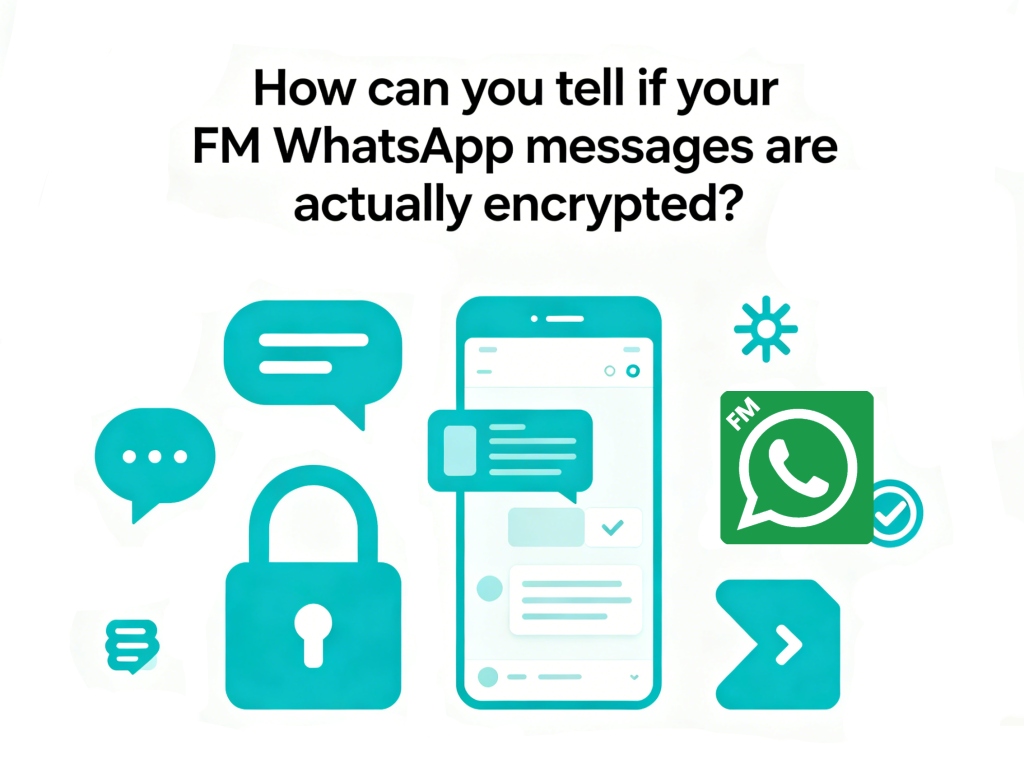
How to Check Whether Your FM WhatsApp Messages Are Encrypted?
Several methods can help determine whether encryption indicators are present.
Method 1: Check the Encryption Notice
Open a conversation and look for a message stating:
Messages and calls are end-to-end encrypted.
If the notice appears, it suggests that the chat is using WhatsApp’s standard encryption framework.
However, this alone does not guarantee the modified app has not altered other aspects of security.
Method 2: Verify Security Codes
In both official WhatsApp and FM WhatsApp APP, you can verify encryption for individual conversations:
- Open any chat in FM WhatsApp
- Tap the contact’s name to open their info screen
- Look for an “Encryption” or “Security” option
- If available, you should see a QR code and a 60-digit number
To verify encryption:
- If you’re physically with the contact: One person scans the other’s QR code or compares the 60-digit numbers
- If you’re apart: Share the 60-digit number through another secure channel and have your contact verify it matches what they see
If both codes match, the encrypted connection is verified.
This is one of the strongest indicators that the conversation is protected by WhatsApp’s encryption protocol.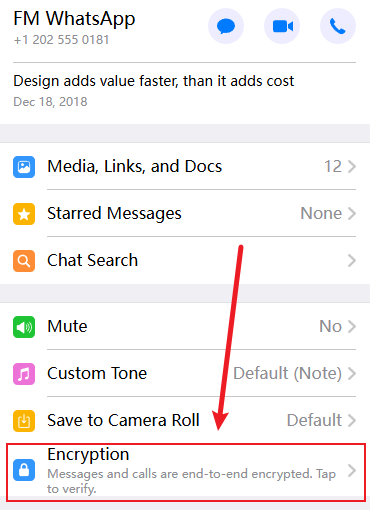
Method 3: Use Independent Security Scanning Tools
If you still doubt the reliability of the WhatsApp encryption key displayed by FM WhatsApp, you can use a third-party application to check whether your messages are being intercepted. Several mobile security applications can analyze app behavior:
- Bitdefender Mobile Security: Scans for malware and suspicious network activity
- Norton Mobile Security: Detects privacy risks and unauthorized data access
- Malwarebytes: Identifies malicious code in modified applications
These tools can sometimes detect if an app is attempting to intercept or log your communications.
What is the 64-bit encryption key for WhatsApp?
The 64-digit key is only for end to end encryption WhatsApp, not your daily chats. You only see this key when you first set up the backup feature, and you must save it yourself. WhatsApp cannot recover this key for you if it is lost.
Where to Find 64 Digit Encryption Key WhatsApp Android?
- Open WhatsApp and go to Settings
- Tap Chats > Chat Backup > End-to-end Encrypted Backup
- Tap Turn On, if not already enabled
- You’ll be presented with three options: Create Password, Use 64-digit Encryption Key, or Use Passkey
- Select Use 64-digit Encryption Key
- Tap Generate Your 64-digit Key
- CRITICAL: Save this key immediately! WhatsApp only shows it once and cannot recover it for you
- Use this key to restore your encrypted backups if needed
Frequently Asked Questions About FM WhatsApp Encryption
Q: Can I verify FM WhatsApp’s encryption independently?
A: Without access to the source code and cryptographic expertise, ordinary users cannot independently verify FM WhatsApp’s encryption implementation. Only security researchers with reverse-engineering skills could potentially analyze the APK to determine if encryption is properly implemented.
Q: Can FM WhatsApp disable end-to-end encryption?
A: There is no widely known evidence that FM WhatsApp disables WhatsApp’s transmission encryption. However, because it is a modified client, users cannot independently verify every aspect of how data is handled.
Q: Can FM WhatsApp developers read my messages?
A: Potentially, yes. Because FM WhatsApp is created by outside developers who change the original code, they could add hidden tools to read your messages before they are secured or after they are unlocked. But no one has reported that their information was leaked.
Q: Is it illegal to use FM WhatsApp?
A: While not typically illegal in most jurisdictions, this does not comply with WhatsApp’s terms of service, and using too many premium features could get your account banned.
Final Thoughts
To check if FM WhatsApp messages are encrypted, look for encryption notices, check security codes, or verify QR codes with your contacts. These steps will confirm if the app is using standard end-to-end encryption.
Security is more than just encryption. The main concern is whether the modified app is trustworthy. While FM WhatsApp 2026 has many great features and privacy settings, it is risky because it is not an official app.
While FM WhatsApp is appealing for its extra features and customization, the official WhatsApp is better for those who prioritize security and verified encryption. Even if messages are encrypted during transit, the safety of the app itself is just as important as the encryption protocol.