Your social media status shows both what you are doing and how you feel. While a Teams status indicates you are working, a WhatsApp status shares your emotions.
However, the status detection rules of these platforms are quite strange. Teams online status cannot be maintained, and WhatsApp status cannot be sustained, leading to people constantly asking “how to keep Teams status online” and “how to extend my WhatsApp status”.
I understand this frustration; WhatsApp seems to default to only maintaining a user’s emotions for 24 hours. So I looked for ways to make WhatsApp statuses last longer than 24 hours.
Why WhatsApp Status Disappears After 24 Hours?
WhatsApp’s status feature, inspired by Snapchat’s Stories, is designed with ephemerality at its core. Being able to quickly tell how a user feels from a short post seems like a perfect feature. But after the feature was released, users did not use it as expected.
People have various reasons for wanting to keep status updates longer: some want to share permanent thoughts, some want to display advertisements, and others simply want their feelings to stay visible for a few extra days.
Given this discrepancy between the intended function and user behavior, it’s not that WhatsApp statuses disappear after just 24 hours; rather, 24 hours is already quite long for a short, self-destructing message. Users simply wish it could last longer.
How to Keep Your WhatsApp Status Available After 24 Hours?
WhatsApp status time limit setting: maximum 24 hours. There is no direct, official way to extend this time, so we can only manually work around this restriction.
- Pre-Save and Repost Strategy
Before posting any status, save the image or video to your device. When the 24-hour period ends, simply repost it as a new status. This method requires manual intervention but ensures your content remains visible.
- Utilize Business Account Features
If you have a WhatsApp Business account, leverage the “Highlights” feature to pin important status updates permanently. This creates a curated collection of statuses that remain accessible to your contacts indefinitely.
- The “About” Section Alternative
This is a WhatsApp test feature; only a small number of users can see “About.” You can find your “About” section under “Settings” > “Profile.” If you have one, you can set your profile status to remain visible for longer than 24 hours.
- Use FM WhatsApp
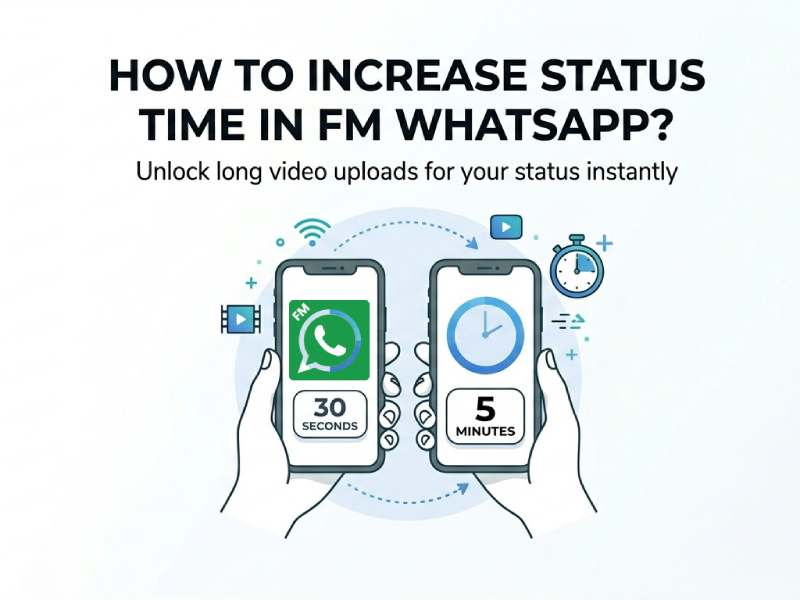
Apps like FM WhatsApp offer features that the official app doesn’t. You can not only customize the duration of your status updates, but also change the WhatsApp status video length and size limit.
What is FM WhatsApp?
FM WhatsApp is an upgraded messaging app that offers better privacy settings, custom themes, and higher limits for sharing media. The FM WhatsApp 8.51 update download improves anti-ban security and provides more options for customizing the user interface.
Key Advantages:
- Extended status duration
- More control over privacy
- Larger file sharing
If you’re interested, you can download FM WhatsApp to experience the latest features.
View Past Statuses
If you are extending the duration of your status merely so that you can see it yourself, there are other ways for you to view your previous statuses.
Method 1: Use WhatsApp Status Archive
WhatsApp quietly saves your past statuses in an archive.
Steps:
- Go to Settings → Privacy → Status
- Enable auto-save
Method 2: View Hidden WhatsApp Files
From within the WhatsApp app, previously posted statuses appear to have been deleted; however, this is not actually the case—they remain stored in a hidden folder within your phone’s settings. You simply need to locate and open this hidden folder to view your past statuses.
Steps:
- Open your phone’s settings, not WhatsApp’s.
- Open the file manager, then tap Android > media > com.whatsapp > WhatsApp > media.
- Click the three dots in the top right corner > Settings, then enable “Display hidden files.”
- Once opened, you will see a “.Statuses” folder, which contains the statuses you have previously posted.
This method is better if you only want to see your old status updates privately.
WhatsApp Status Limits
WhatsApp statuses last for only 24 hours and have rules about what you can post.
You can share text, photos, videos, and GIFs as updates.
Video Length: Videos in your status updates are typically up to 90 seconds long. If you find your video is under 90 seconds but still compressed, it may be too large.
Video Size: The maximum video size is typically 100MB. Larger videos may be automatically compressed, usually shortening high-quality videos.
Video Formats: Supports 3GP, MP4, AVI, FLV, MKV, and MOV.
Photo Restrictions: High-resolution photos can be uploaded, but the platform will compress them to some extent.
Text Status Updates: Text updates support emojis and links. You can link to a song or a YouTube video.
Privacy: You can choose who can and cannot view your status updates.
Status Text Limit: Only statuses with a character limit of 700 or less are supported.
Workaround for Longer Videos
If your video exceeds 30 seconds:
Option 1: Split it
WhatsApp automatically trims long videos into segments
Option 2: Use editing apps
Trim clips manually before uploading
Option 3: Compress video
Keeps quality while fitting size limits. Resolution Adjustment, reduce to 720p for most content
FAQ
Q: Why does WhatsApp compress videos so aggressively?
A: WhatsApp implements aggressive compression to ensure fast delivery across varying network conditions and to conserve server storage. By compressing videos, WhatsApp ensures accessibility while managing infrastructure costs.
Q: Is FM WhatsApp safe to use?
A: FM WhatsApp carries inherent risks since it’s a modified third-party application. However, downloading from reputable websites like wahatfm can reduce the risk.
Q: What’s the difference between WhatsApp’s 16MB limit and FM WhatsApp’s 30MB limit?
A: The official WhatsApp limits video size to 16MB to ensure consistent performance across all devices. FM WhatsApp modifies the app’s code to increase this limit to 30MB, allowing users to share higher-quality videos. However, larger files may take longer to send and receive, especially on slower connections.
Q: Can I post longer videos to my status?
A: There are ways to post longer videos; please refer to this blog post: “How to Upload Video on FM WhatsApp Status More Than 30 Seconds”
Final Thoughts
WhatsApp statuses are temporary, so you don’t have to keep them up for a long time. However, WhatsApp has also recognized user demand and is gradually conducting tests to expand the restrictions on statuses. It’s just that we don’t know when it will be realized.
If you really want a permanent solution, you can try FM WhatsApp; at least you won’t have to go through the trouble of maintaining your online presence for longer periods.